Guide
One stock across your WooCommerce store and your counter
Selling online what's no longer on the shelf is the price of keeping two inventories. The website has one number, the shop floor has another, and reconciling them by hand lasts until the first busy Saturday.
WooCommerce knows what the website sold. Your notebook or spreadsheet knows what the counter sold. While those two live apart, one of them is always lying — usually the one the customer can see.
Inventury connects to your WooCommerce store so the inventory is a single one: what you change in the app goes out to the site, and what the site sells is reviewed from the app. Connected stores are on the Business plan.
Connect the store and match the catalogue
You connect from the app with your store address and a WooCommerce API key pair. They have to be read-and-write keys: with read-only permissions the store still connects, but publishing a price gets rejected. The credentials stay on the device.
Once connected you see the products published on your site with their price and stock, and you link them to the items you already keep in the app. Anything not on the site yet can be published from here. Nothing is published unless you ask for it.
The store currency has to be set before publishing prices, otherwise figures from another currency would go out. Image upload is optional: without it, products created from the app publish without a photo.
One stock, with the rules in plain sight
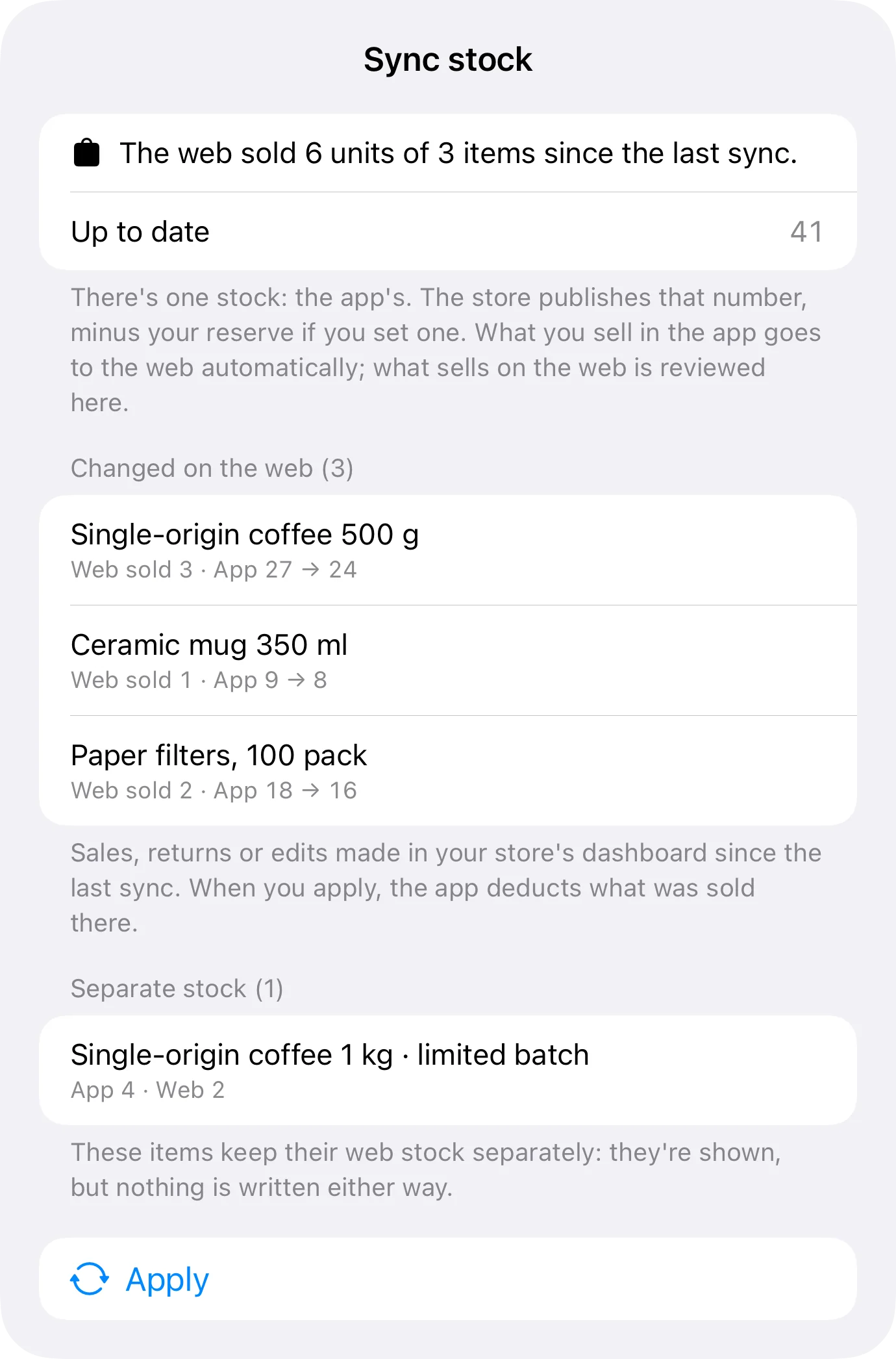
Once an item is linked, stock stops being two numbers. From its detail screen you can pull the website's figure or push yours, and from then on what you change in the app goes out to the store on its own.
What the site sold is reviewed from the «Stock» tab rather than dropping straight into your sales: you look first, it lands after. And when an item has to stay independent — a unit held for the website, a product sold only in the shop — you mark it as separate and it stays out of the sync.
- Pull or push stock from the item's own screen
- Per-platform reservation, so the same unit isn't sold twice
- Per-item «separate» mode, when web and shop don't share units
Prices: in bulk, one by one, or one as a test
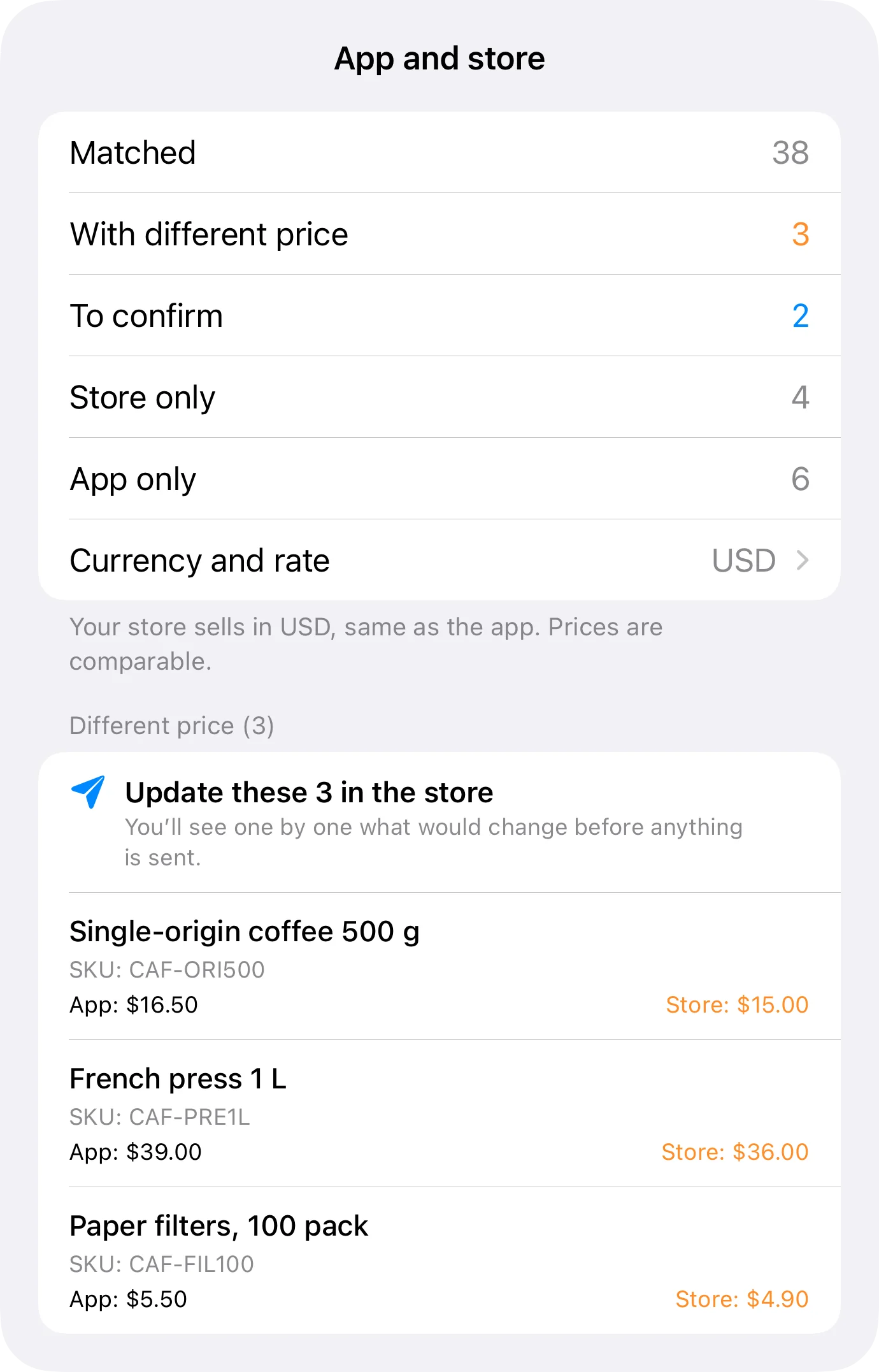
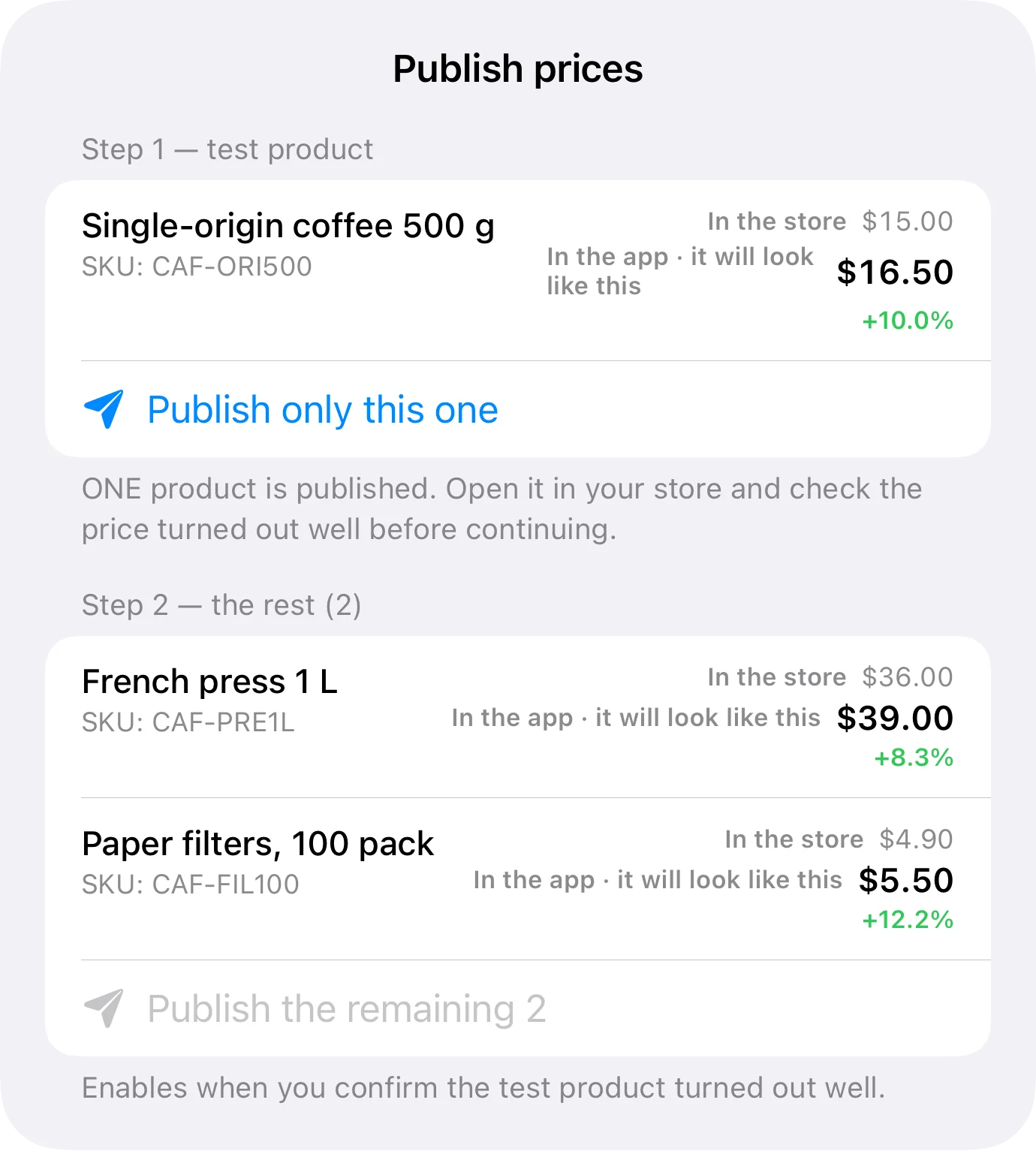
Pushing prices to a whole store is rightly frightening: one extra zero is published in seconds. So price updates come with a mandatory dry run — you see exactly what would change before anything goes out — and you choose between bulk, item by item, or a single test item to check the connection behaves.
Variation prices work the same way, and the SKU can be written over the store so the website's catalogue carries your references instead of whatever was typed on day one.
The web price isn't the counter price
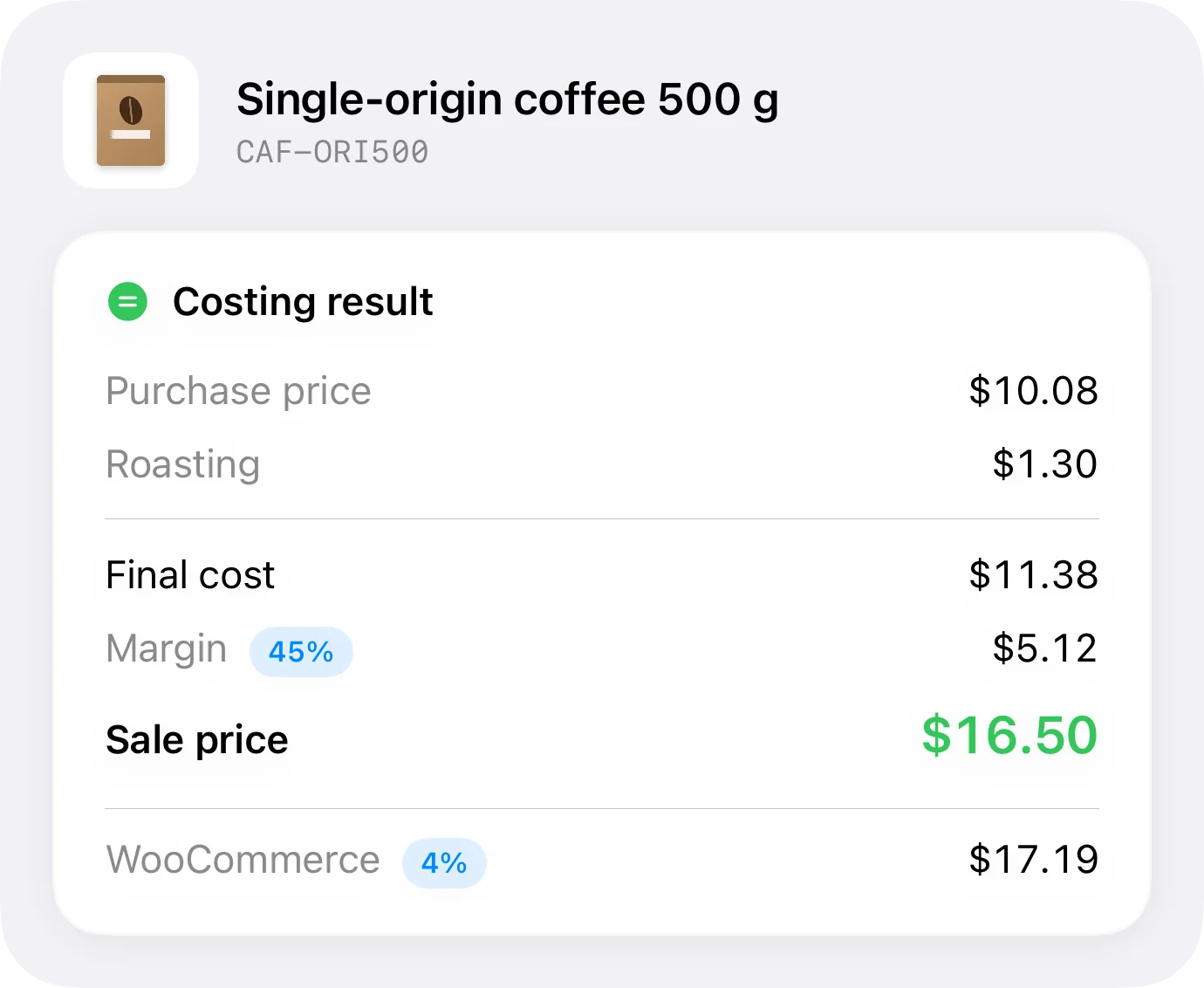
Selling online costs more than selling across a counter: gateway, shipping, each channel's cut. Publish the same price in both places and the website quietly makes less, which nobody notices until the quarter's numbers.
In Inventury every platform carries its declared commission, and the app works out the price you need to charge there for the margin to stay intact. That's the price that goes up to WooCommerce.
What it does and what it doesn't
| With WooCommerce connected | |
|---|---|
| Read the published catalogue and match it to your inventory | Yes |
| Publish items that only existed in the app | Yes |
| Write price, stock and SKU to the store | Yes, with a dry run first |
| Variation prices | Yes |
| Take the customer's payment | WooCommerce does that. Inventury doesn't sell online |
| E-invoicing or bookkeeping | No |
Connected stores are on the Business plan.
Frequently asked questions
What do I need to connect my store?
Your WooCommerce address and an API key pair with read and write permission. You generate them inside WooCommerce and enter them once in the app, which keeps them on the device.
Will it publish or change anything without me asking?
No. Every push is started by you, and price pushes go through a dry run first that shows the exact change.
What if I also sell over the counter?
That's the case it was built for. With the Business plan's register, a counter sale deducts from the same stock that later goes out to the website.
Can I hold units back for the website only?
Yes, with per-platform reservation. And if an item shouldn't share units with the online store at all, mark it as separate and it stays out of the sync.
Does it work with Shopify too?
Shopify connects as well, with its own rules: catalogue matching, price publishing and stock written per location. It has its own guide.
Stop reconciling two inventories
Connected stores are on the Business plan, with a seven-day trial. Connect your WooCommerce and link the ten products that run out on you most.