Guide
Inventory on your iPhone, connected to your Shopify store
Shopify runs the storefront. What it doesn't run is everything behind it: what each unit really costs landed, what sells across the counter, and what's actually left in the back room.
The Shopify admin is a website, and a website doesn't open with a box in your hands. So the physical half of the business — receiving, counting, moving between locations, taking payment in the shop — ends up on the side, in a sheet nobody syncs.
Inventury connects to your Shopify store so that physical work and the published catalogue are one inventory. Connected stores are on the Business plan.
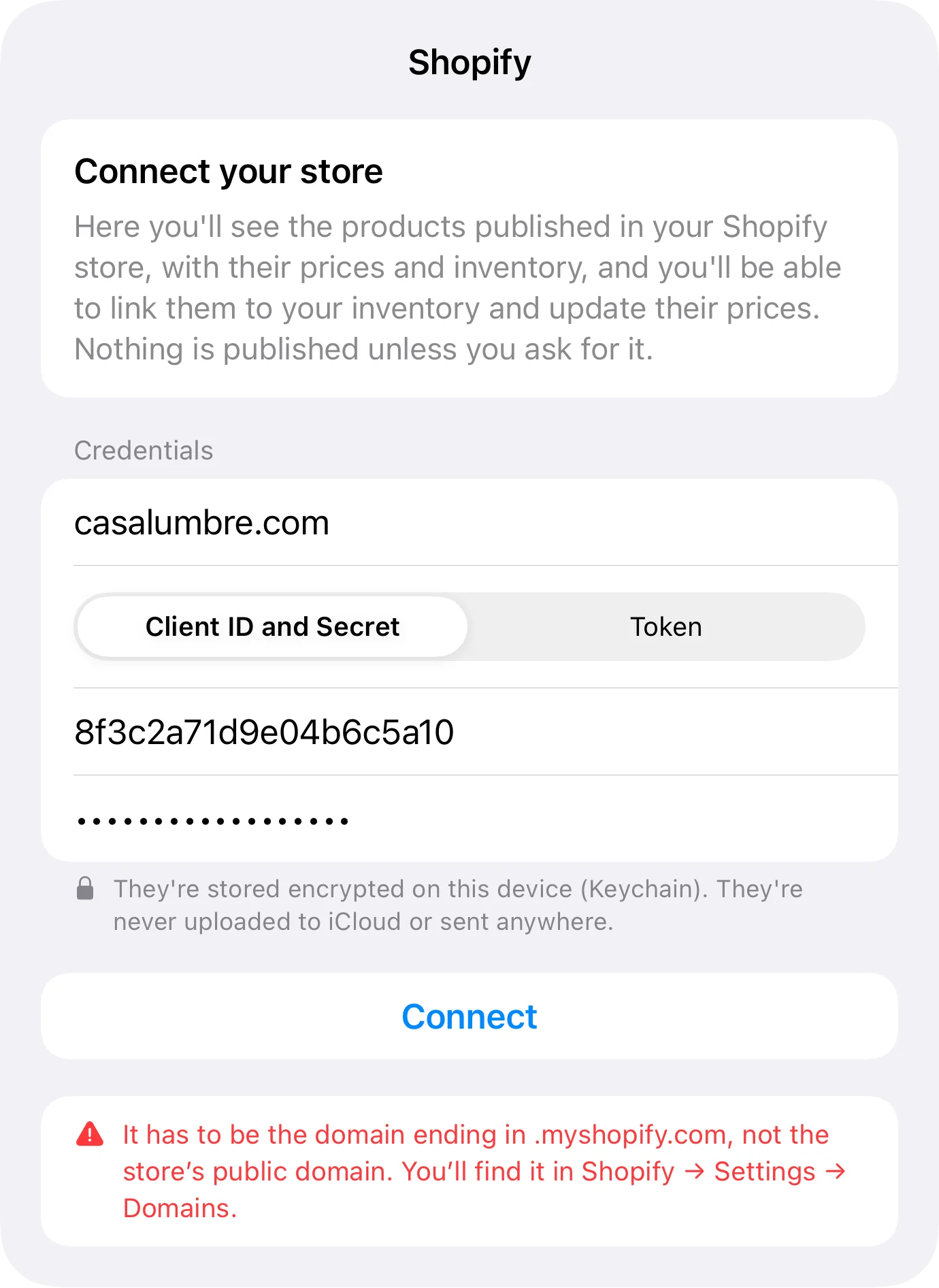
Connecting: the address it wants ends in .myshopify.com
Shopify always serves its Admin API on a something.myshopify.com domain, even when your storefront lives on a custom domain. Pasting the pretty domain is the most common mistake when connecting, and the app catches it and says so.
There are two ways to authenticate, depending on when the store was set up: an app from the developer dashboard, with its Client ID and secret, where Inventury requests and renews the token by itself; or a legacy custom app token pasted by hand. Credentials are kept in the device keychain.
Match the catalogue, publish prices
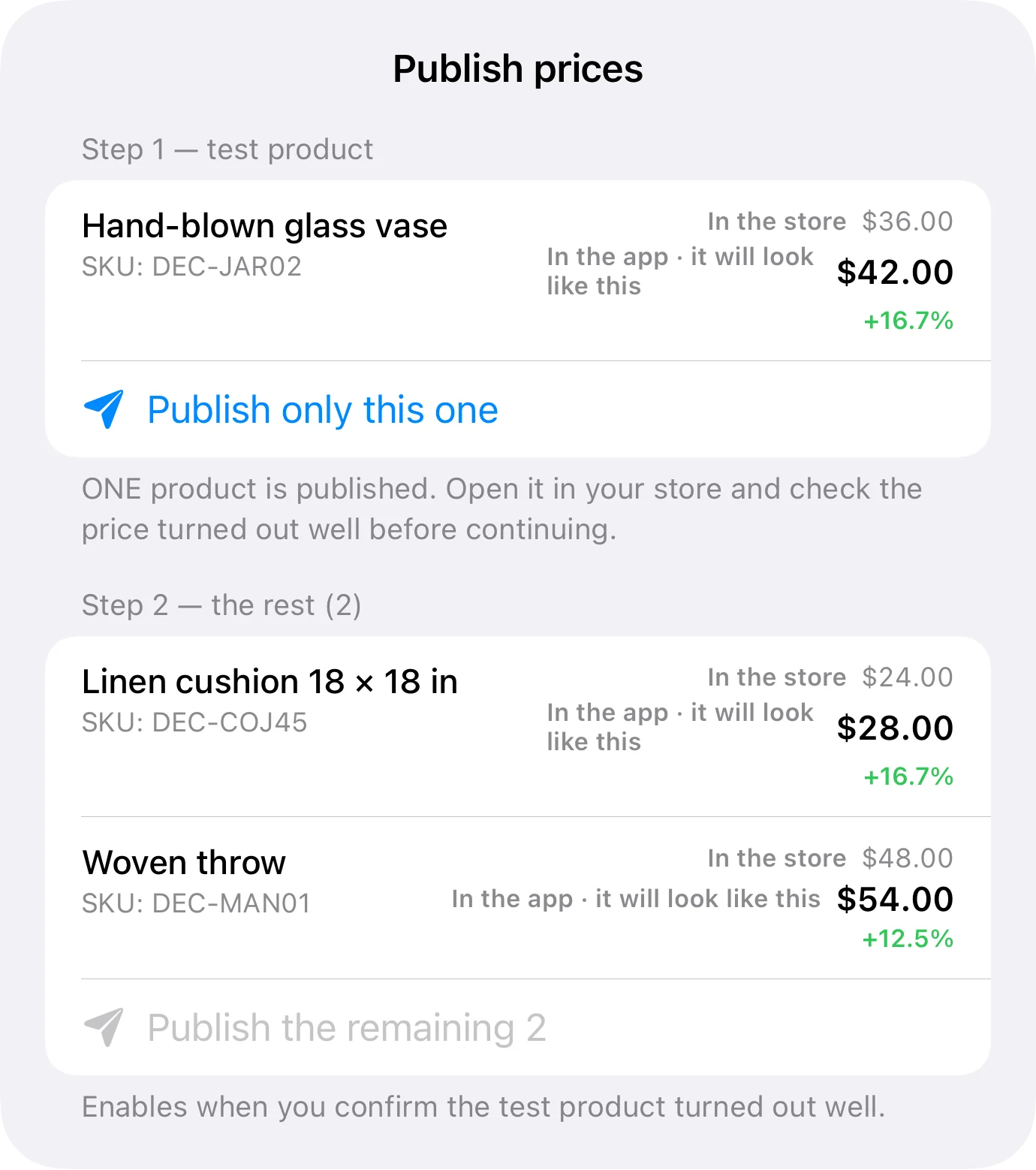
With the store connected you see the published catalogue and link it to the items you already keep in the app. Linking is what makes the rest possible: without that correspondence, price and stock have no Shopify product to talk to.
From there you can publish prices to the store, with the care any bulk change deserves: see what would change, then send it.
Stock per location, the way Shopify means it
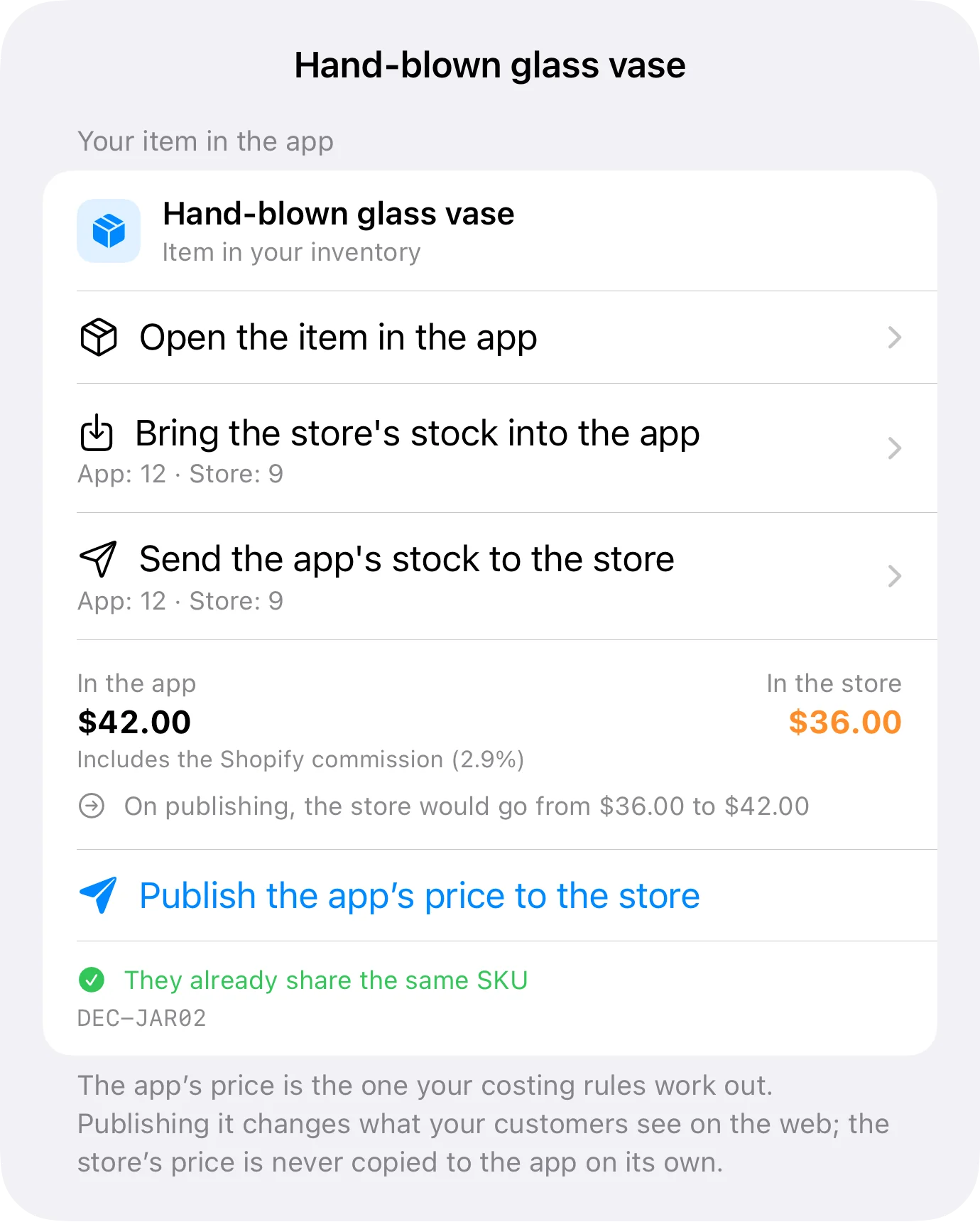
Shopify doesn't hold one stock figure — it holds one per location. Inventury writes with that in mind, so what you push lands in the right location instead of in a global number nobody recognises afterwards.
That's what lets the storefront and the back room coexist: the inventory is one, but each place still knows what it's holding.
- Pull or push stock from the item's own screen
- Per-platform reservation, so the same unit isn't sold twice
- Separate mode, for items that shouldn't share stock with the site
What Shopify won't work out: your landed cost
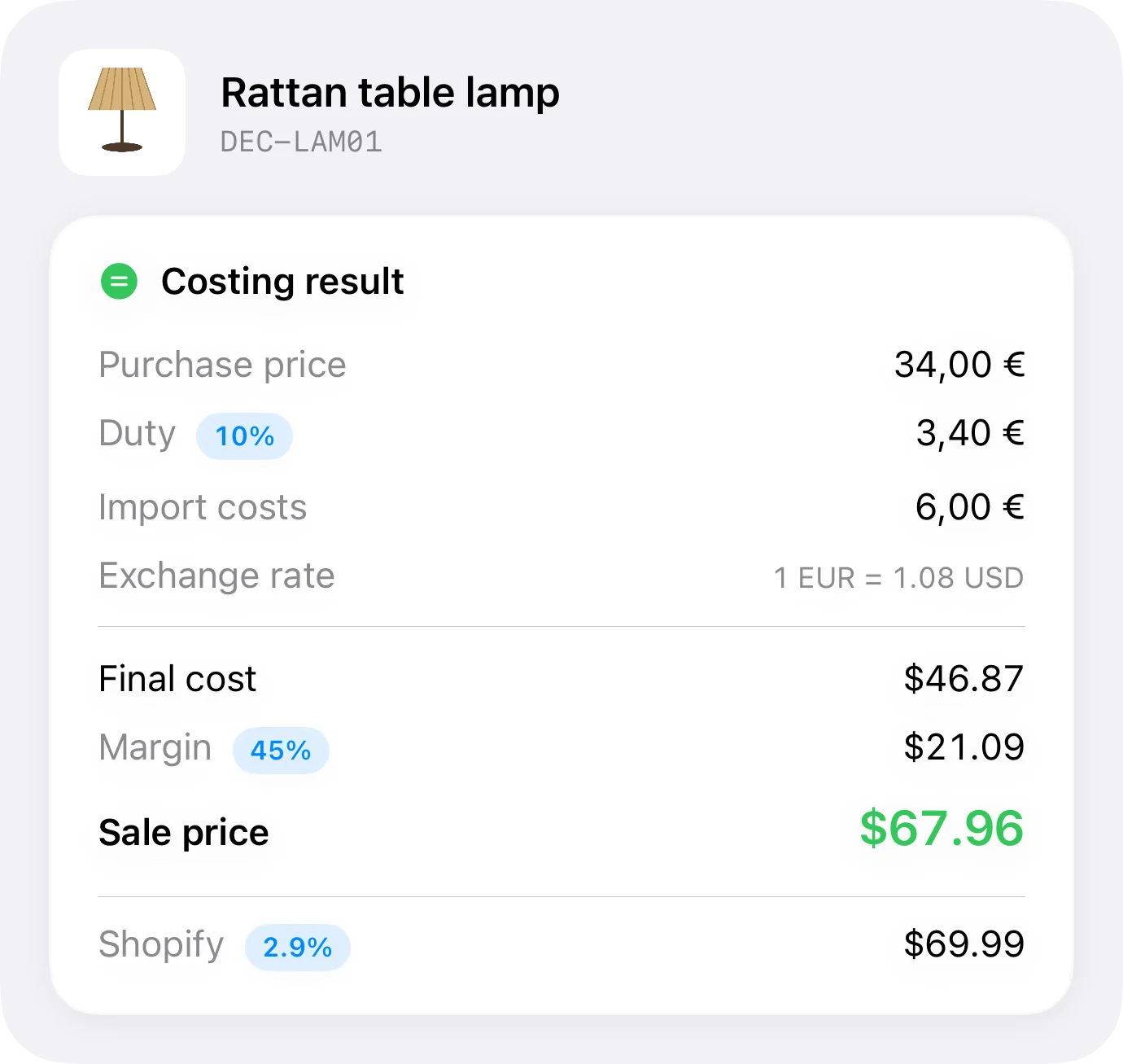
If you import, the real cost isn't the supplier's invoice: it's that figure plus freight, duties, customs handling and the exchange rate on the day you paid. Shopify stores a cost field, but it won't build that number for you.
In Inventury you define your own costing fields, and you buy in one currency to sell in another. Out of that come the floor price, the real margin, and the price to publish per channel so the commission doesn't eat the difference.
What it does and what it doesn't
| With Shopify connected | |
|---|---|
| Read the catalogue and match it to your inventory | Yes |
| Publish prices to the store | Yes |
| Write stock to the right location | Yes |
| Costing, margin and price per channel | Yes, in the app |
| Take payment and run checkout | Shopify does that. Inventury doesn't sell online |
| E-invoicing or bookkeeping | No |
Connected stores are on the Business plan.
Frequently asked questions
Which address do I enter?
Your something.myshopify.com address, without https:// and without any path. Even when your storefront runs on a custom domain, the Admin API always lives there — paste the other one and the app tells you.
Do I have to create an app in Shopify?
Yes: an app in the developer dashboard, from which you copy the Client ID and secret. With those the app requests and renews its own token. Stores that already had a pre-2026 custom app can keep pasting that token.
Does it replace Shopify POS?
No. Inventury has its own counter register on the Business plan, with shifts, cash-up and receipts, but it isn't a fiscal POS and it doesn't issue e-invoices.
Can I use it if I also sell on WooCommerce?
Yes, and there's a guide for WooCommerce. The idea is the same: one inventory in the app, linked to what's published.
Where do my credentials end up?
In your device's keychain. There's no server of ours holding your store: your inventory lives in your iCloud, and the app talks to Shopify directly.
Put the physical work where the catalogue is
Connected stores are on the Business plan, with a seven-day trial. Connect your Shopify store and start with the products that keep running out.