By business type
Inventory for a cell phone and tech store
In this trade the question you have to be able to answer isn't how many are left. It's "did this handset come from here, when, and who bought it?" In Inventury every phone comes in with its IMEI, sells by its IMEI and turns up by its IMEI.
A phone shop sells few units of high value, and every unit has a name of its own. Months later a handset comes back under warranty, someone asks for an exchange, or a question arrives about one specific phone. If the IMEI ended up in a notebook or a WhatsApp thread, the answer takes half an hour and sometimes never comes.
Inventury tracks stock unit by unit: each phone keeps its IMEI, its second IMEI, its serial number and its EID, and your stock is simply the units still on hand. The checkout rings up the exact handset you scan, the sale keeps its IMEI, and later you find it from just the last few digits. This guide covers how that works and what it doesn't do yet.
Every phone is a unit with its own IMEI
On the item, turn on "Track Serialized Units (IMEI)". From then on the item stops being a bare number: it's a list of units, and each one stores IMEI, IMEI2, serial number and EID. Ten iPhones of the same model are one item with ten units, and each unit knows which one it is.
Stock is counted from the available units. When one sells, it moves to "Sold" with its date and the inventory number drops on its own. There's no reconciling a quantity against a list of IMEIs by hand: they're the same thing.
- IMEI, IMEI2, serial number and EID per unit
- Stock comes from the units left
- Sold units are kept apart, with their date
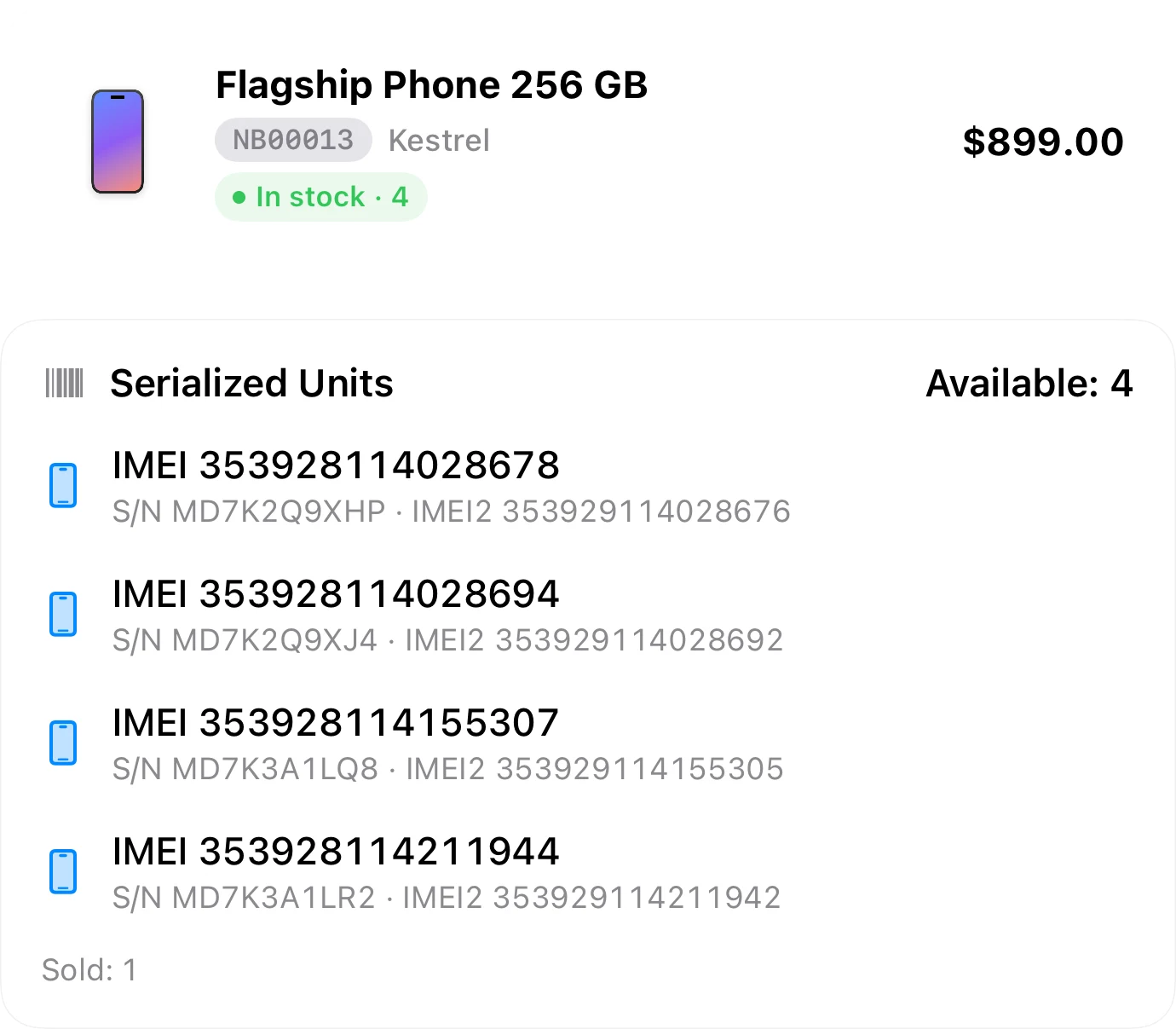
Add them without typing 15 digits
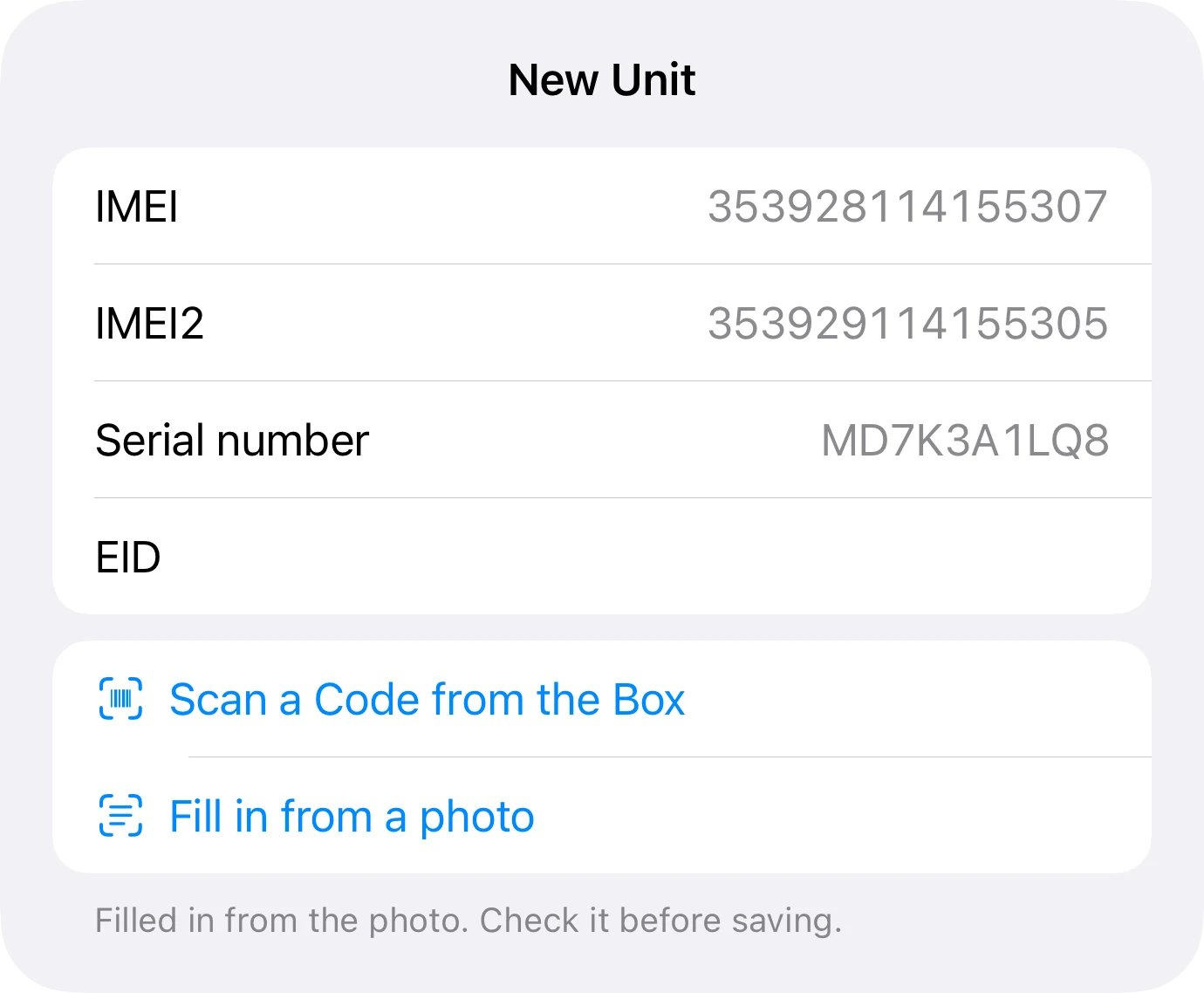
"Scan a Code from the Box" reads the barcode on the label and works out whether it's an IMEI, an EID or a serial number; on Apple boxes it drops the "S" printed in front of the serial. If an IMEI was misread — its check digit doesn't add up — or already belongs to another unit, the app tells you before saving it.
Faster still: "Fill in from a photo". Take a picture of the label on the back of the box and the app suggests name, manufacturer SKU, UPC, IMEI, IMEI2, serial and EID in one go. It only takes something as the serial when it carries its label ("SN:", "Serial"), and a code that repeats on every identical box is treated as the item's code, not the unit's.
When a shipment of several boxes arrives, the scanner's Batch mode with "Serialized Units" reads them one after another and creates the item with those units, or adds them to one you already have.
- Recognizes IMEI, EID or serial as you scan
- Warns about a misread or duplicate IMEI
- Photo of the label: every code at once
- Several boxes in a row with Batch mode
The checkout sells the exact handset
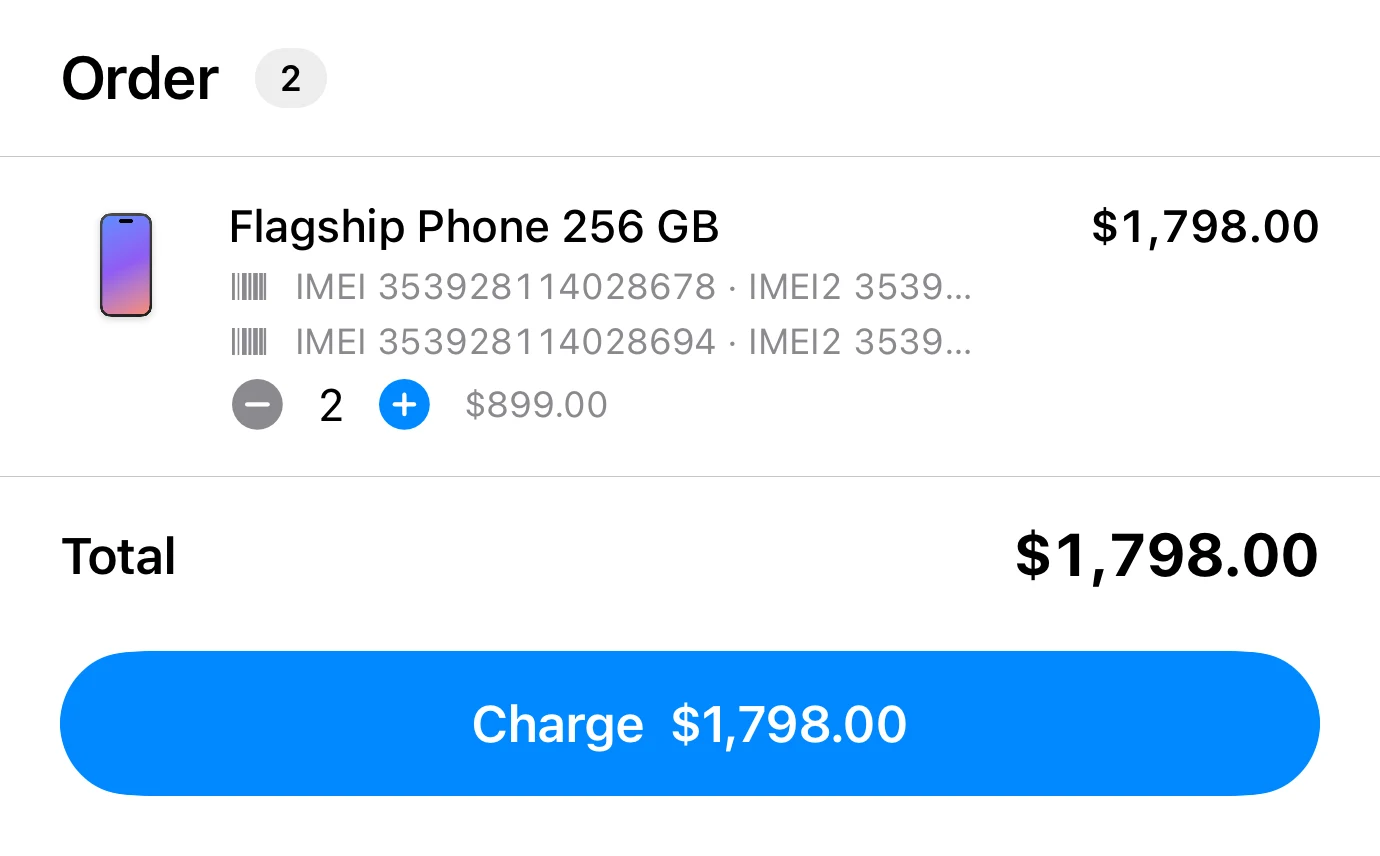
At the counter you scan the IMEI on the box and THAT unit goes in, not "any iPhone 15". If you tap the item instead of scanning, the checkout picks the oldest unit and you can swap it for another. When you charge, the IMEI and serial are stored on the sale.
One sale can carry several handsets, each leaving its own number on it. If a unit was sold on another device in the meantime, the app warns you instead of selling the same IMEI twice.
A sale you record by hand from the item works the same way, with a unit picker. And voiding a sale returns the units that left with it to inventory, IMEI included.
- Scanning the IMEI adds that unit to the sale
- Several handsets per sale, each with its number
- Voiding the sale returns those units
Search by IMEI and everything turns up
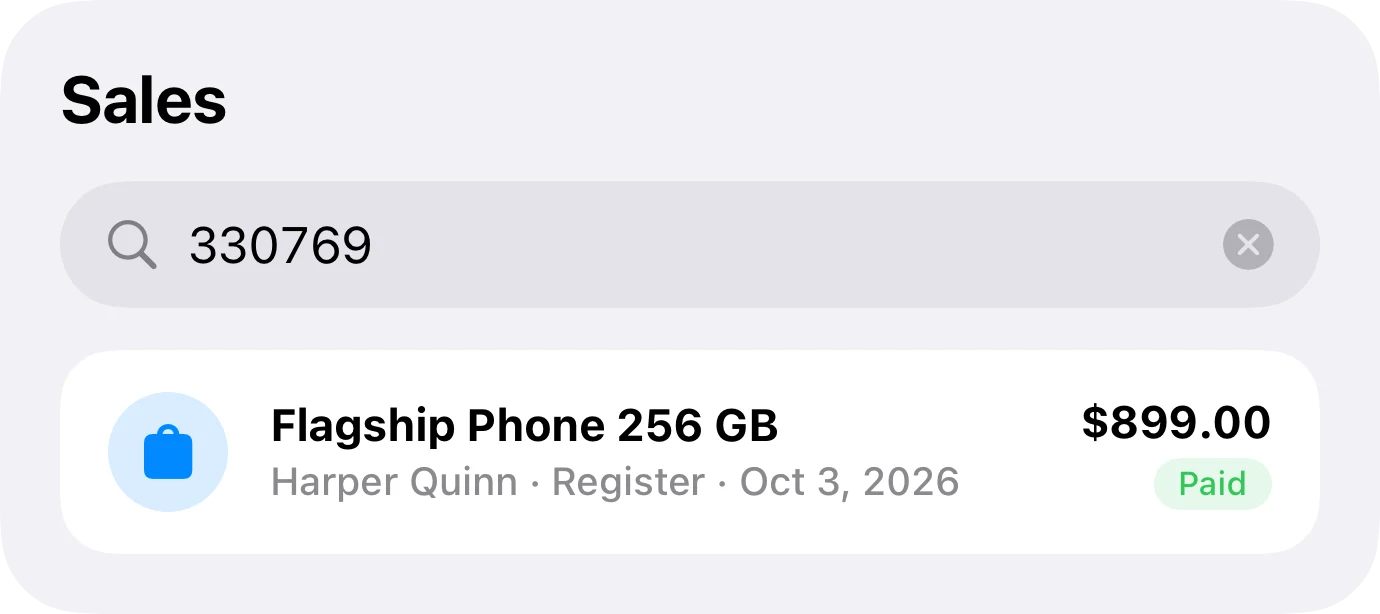
In the item list and in the scanner, an IMEI or serial takes you to the phone, whether it's available or sold. In Sales, the same number takes you to the sale, and you don't need all of it: the last few digits are enough. The sale brings its date and customer, which is what you actually need when someone walks in with a handset.
When you record a sale by hand with a number that's already on another sale, the app says so and shows you the earlier one. It doesn't block it — it could be a legitimate return or a typo — so you decide.
- IMEI or serial in the item list and the scanner
- In Sales, even with just the last digits
- Duplicate warning, showing the earlier sale
Warranty, notes and accessories
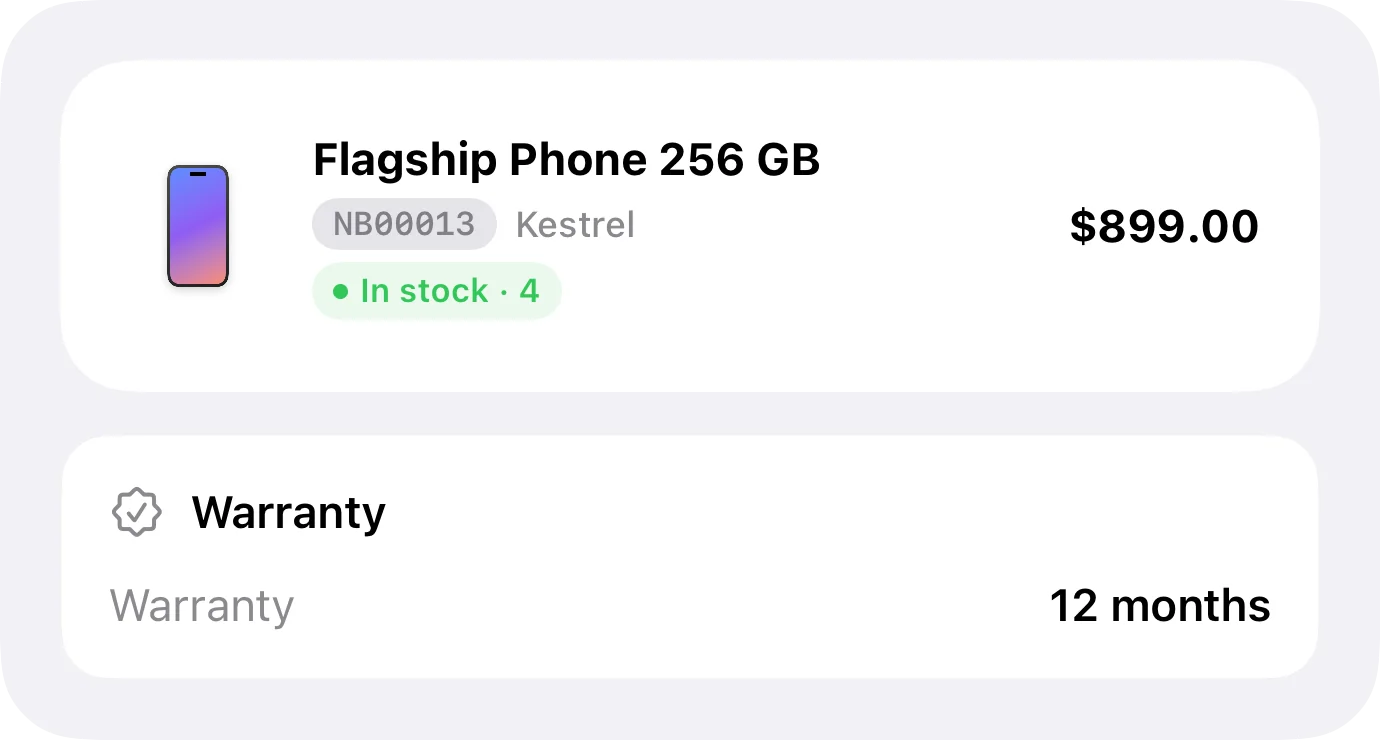
The item stores its warranty in months and a notes field: the exact version, the color, what's in the box, what the supplier promised.
The warranty is stored and visible, but it's months, not an end date: the app doesn't work out the day it expires and doesn't remind you. To check whether a handset is covered, look up its sale by IMEI, read the date and count the months.
Accessories — cases, chargers, screen protectors — don't need units: they're regular items with a quantity and a barcode, rung up at the same checkout, on the same ticket as the phone.
What does warn by date is batch expiry, which is a different feature built for products that go off.
Where it stands today
| What a phone store needs | In Inventury |
|---|---|
| Unit-by-unit stock, each with its IMEI | Yes: IMEI, IMEI2, serial and EID per unit |
| Adding units without typing | Yes: scan the box barcode or take a photo of the label |
| Misread or duplicate IMEI | Warns before saving the unit |
| IMEI at the checkout | Yes: scan the IMEI and that unit goes in |
| Several handsets in one sale | Yes, each leaves its number on the sale |
| Voiding a sale | Returns the units with their IMEI |
| Search by IMEI | Yes: in items, in the scanner and in Sales (last digits work) |
| IMEI on the customer's receipt | Yes, on the PDF |
| Warranty | In months, stored on the item. No end date or reminder |
| Plans | Sales and customers are on Pro; the checkout is on Business |
Reviewed on October 4, 2026, with version 1.0.3. If any of this changes in the app, this table changes with it.
Frequently asked questions
Can I track each phone with its own IMEI in inventory?
Yes. Turn on "Track Serialized Units (IMEI)" on the item and each unit stores IMEI, IMEI2, serial number and EID. Stock is the available units, and sold ones are kept apart with their date.
Do I have to type the IMEI?
No. Scan the barcode on the box and the app recognizes whether it's an IMEI, EID or serial. Or take a photo of the label on the back and it suggests every code at once. A misread or duplicate IMEI gets flagged.
Does the checkout keep the IMEI of the handset I sell?
Yes. Scan the IMEI at checkout and that exact unit goes in; when you charge, its IMEI and serial are stored on the sale. Sell several handsets on one ticket and each leaves its own number.
Can I find a sale by its IMEI?
Yes, in Sales, and the last few digits are enough. You can also search the IMEI in the item list, or scan it, to get to the phone itself.
What happens if I void a sale?
The units that left with it go back to inventory with their IMEI, and stock goes up on its own.
How do I know whether a handset is under warranty?
The item stores the warranty in months and the sale stores the date and IMEI. Look the sale up by number, read the date and count the months. The app doesn't calculate the end date or remind you when it runs out.
Can I sell accessories too?
Yes. Accessories are regular items with a quantity and a barcode, rung up at the same checkout as the phones. Recording sales and customers starts on the Pro plan; the checkout is on Business.
Add a phone from a photo and sell it by its IMEI
It's on the App Store. Photograph the label on the box, ring it up by scanning the IMEI, then find it later by its last four digits.